
Join our newsletter! - Tips, contests and more. Click here to subscribe!
The programming which allows computations based on the activities in a browser or by the activities performed by the user on the elements in a document is known as event-driven programming. Let’s learn about event handling in JavaScript.
This article is a part of our advanced java and web technologies tutorial.
An event is the specification (essentially an object created by the browser and JavaScript) of something significant has occurred. Examples of events are click, submit, keyup etc.
In JavaScript all the event names are specified in lowercase. An event handler (essentially a function) is a set of statements (code) that handles the event.
Below table lists most commonly used events and their associated tag attributes:
| Event | Tag Attribute |
| blur | onblur |
| change | onchange |
| click | onclick |
| dblclick | ondblclick |
| focus | onfocus |
| keydown | onkeydown |
| keypress | onkeypress |
| keyup | onkeyup |
| load | onload |
| mousedown | onmousedown |
| mouseup | onmouseup |
| mousemove | onmousemove |
| mouseover | onmouseover |
| mouseout | onmouseout |
| reset | onreset |
| select | onselect |
| submit | onsubmit |
| unload | onunload |
Below table lists event attributes and their corresponding tags in HTML:
| Attribute | Tag | Description |
| onblur | <a> <button> <input> <textarea> <select> | The link looses input focus The button looses input focus The input element looses focus The text area looses focus The selection element looses focus |
| onchange | <input> <textarea> <select> | The input element is changed and looses focus The text area changes and looses focus The selection element is changed and looses focus |
| onclick | <a> <input> | The user clicks on the link The input element is clicked |
| ondblclick | Most elements | The user double clicks the mouse left button |
| onfocus | <a> <input> <textarea> <select> | The link acquires focus The input element acquires focus A text area acquires focus A selection element acquires focus |
| onkeydown | <body> form elements | A key is pressed down |
| onkeypress | <body> form elements | A key is pressed down and released |
| onkeyup | <body> form elements | A key is released |
| onload | <body> | The document finished loading |
| onmousedown | Most elements | The user clicks the left mouse button |
| onmouseup | Most elements | The left mouse button is released |
| onmousemove | Most elements | The user moves the mouse cursor on the element |
| onmouseover | Most elements | The mouse cursor is moved over the element |
| onmouseout | Most elements | The mouse cursor is moved away from the element |
| onreset | <form> | The reset button is clicked |
| onselect | <input> <textarea> | The mouse cursor is moved over the element The text is selected within the text area |
| onsubmit | <form> | The submit button is pressed |
| onunload | <body> | The user exits the document |
The process of linking an event handler with an event is known as registration. There are two ways to register an event handler in DOM 0 event model. First way is by assigning the event handler script to an event tag attribute as shown below:
<input type=”button” value=”Click Me” onclick=”func1( );” />
In the above code, the event handler func1 is assigned to the event attribute onclick of a button.
The second way is by assigning the event handler to the event property of the element as shown below:
document.getElementById(ID_of_element).onclick = func1;
Next let’s learn about form validation in JavaScript.
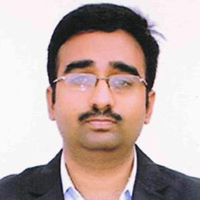
Mr. P.S.Suryateja, also known as Suryateja Pericherla, is at present a Research Scholar (full-time Ph.D.) in the Dept. of Computer Science & Systems Engineering at Andhra University, Visakhapatnam. Previously worked as an Associate Professor in the Dept. of CSE at Vishnu Institute of Technology, India.
He has 14+ years of teaching experience and is an individual researcher whose research interests are Cloud Computing, Internet of Things, Computer Security, Network Security and Blockchain.
He is a member of professional societies like IEEE, ACM, CSI and ISCA. He published several research papers which are indexed by SCIE, WoS, Scopus, Springer and others.
Leave a Reply