
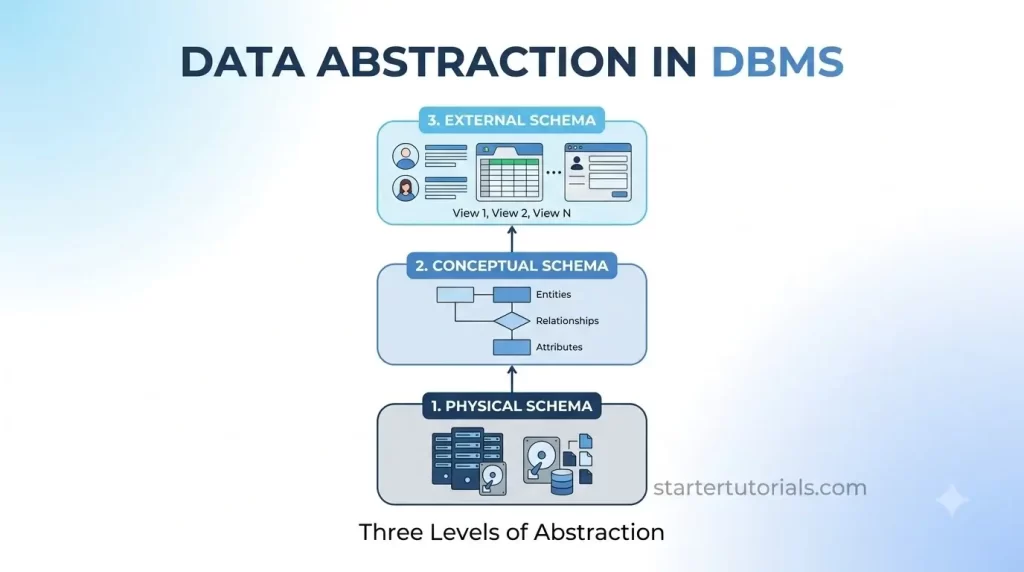
Modern database systems manage millions of records across complex storage structures, yet end-users query them effortlessly without worrying about raw memory layouts or disk pages. Understanding the levels of abstraction in DBMS, often referred to as database data abstraction, the three-schema architecture, or levels of database schemas, is fundamental to grasping how systems keep user interfaces simple while managing deep structural complexity behind the scenes.
Why do we need abstraction?
Without abstraction, applications would need to know exact disk locations, file structures, and memory layouts to retrieve simple records. Abstraction solves two major problems:
- Hides Complexity: End-users and developers don’t need to know about B-trees, page sizes, or hardware specs just to run a query.
- Ensures Data Independence: You can modify low-level details (like upgrading storage drives or adding an index) without breaking application code, and you can modify high-level application views without changing the central database logic.
Three levels of abstraction
The data in a database can be described at three levels of abstraction. They are:
- Physical schema / Internal level
- Conceptual schema / Logical level
- External schema / View level
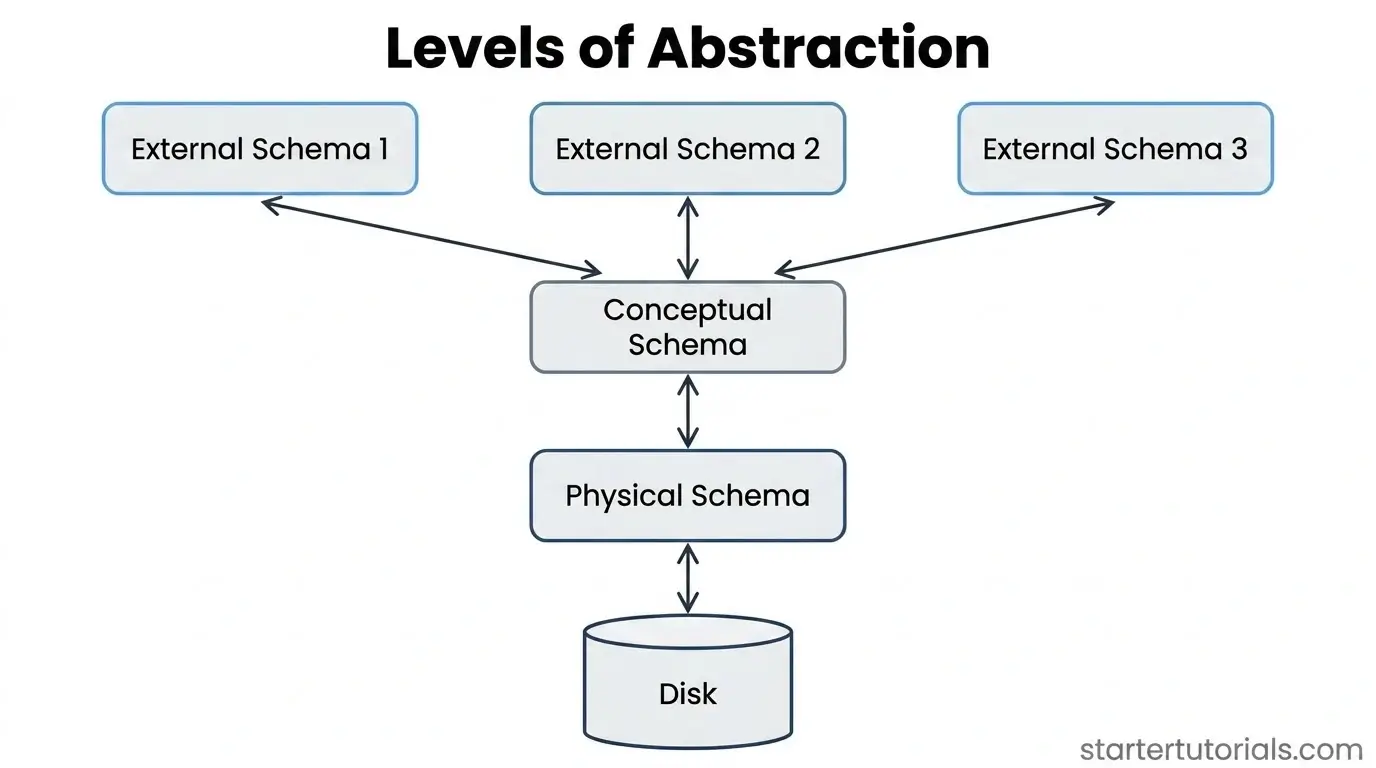
The three levels of abstraction in a DBMS are illustrated in the following diagram:
Let’s understand about each level of abstraction with the help of a university database example.
External Schema (View Level)
- What it is: The top layer that determines how individual users see the data.
- Simple Explanation: Different users need different slices of the database. A student logging into the portal only sees their own grades and schedule. A professor sees course rosters and grade submission forms. A financial advisor sees tuition balances.
- Key Role: Tailors the user interface and enforces security by hiding data a specific user shouldn’t access.
Any database has exactly one physical and one conceptual schema, but, multiple external schemas. Contains one or more views and relations from the conceptual schema. A view is like a relation, but the records in a view are not stored in the DBMS.
The records in a view are computed from the view definition. External schema design is guided by the end user requirements. If we consider the university database, one view can be:
Courseinfo(cid: string, fname: string, enrollment: integer)
Conceptual Schema (Logical Level)
- What it is: The middle layer that describes what data is stored and how it relates.
- Simple Explanation: This is the master blueprint of the entire database. It defines all the tables, columns (e.g., StudentID, Name, GPA), data types, and relationships (e.g., “A Student enrolls in Courses”).
- Key Role: It contains the complete logical structure of the database without worrying about how those tables are saved on hard drives. Database administrators (DBAs) and developers work heavily at this level.
Conceptual schema is also called as logical schema. Contains the entities and relationships. The sample conceptual schema for the university database can be as follows:
Student (sid: string, name: string, login: string, age: integer, gpa: real)

Faculty (fid: string, fname: string, sal: real)

Course (cid: string, cname: string, credits: integer)

Room (rno: integer, address: string, capacity: integer)

Enrollment (sid: string, cid: string, grade: string)

Teaches (fid: string, cid: string)

Meets_In (cid: string, rno: integer, time: string)
Physical Schema (Internal Level)
- What it is: The lowest layer that describes how the data is actually stored.
- Simple Explanation: This level deals with raw hardware and system details like bytes, blocks, memory allocation, data compression, encryption, and indexing structures (like B+ trees).
- Key Role: Optimized for speed and efficiency. The end-user never interacts with this layer directly; the Database Management System (DBMS) handles it under the hood.
Physical schema is also called internal schema. Summarizes how the relations specified in conceptual schema are actually stored on secondary storage devices like disks and tapes.
Gives additional storage details like file organizations and auxiliary data structures (indexes) used for fast retrieval. In our university database example, the physical schema can be:
- Store all relations as unsorted files of records
- Create indexes on sid column in Student table
All three levels of abstraction in a DBMS can be summarized as a table shown below:
| Level | Key Focus | Real-World Analogy (Building a House) | Who Interacts With It? |
|---|---|---|---|
| External | How users view specific data | The living room view vs. the kitchen view | End-users, Application Programmers |
| Conceptual | What data is stored & relationships | The architectural blueprint / floor plan | Database Administrators, Developers |
| Physical | How data is saved on storage hardware | The hidden pipes, wiring, and foundation | Database System Engineers, DBMS Software |

Mr. P.S.Suryateja, also known as Suryateja Pericherla, is at present a Research Scholar (full-time Ph.D.) in the Dept. of Computer Science & Systems Engineering at Andhra University, Visakhapatnam. Previously worked as an Associate Professor in the Dept. of CSE at Vishnu Institute of Technology, India.
He has 14+ years of teaching experience and is an individual researcher whose research interests are Cloud Computing, Internet of Things, Computer Security, Network Security and Blockchain.
He is a member of professional societies like IEEE, ACM, CSI and ISCA. He published several research papers which are indexed by SCIE, WoS, Scopus, Springer and others.
Leave a Reply