
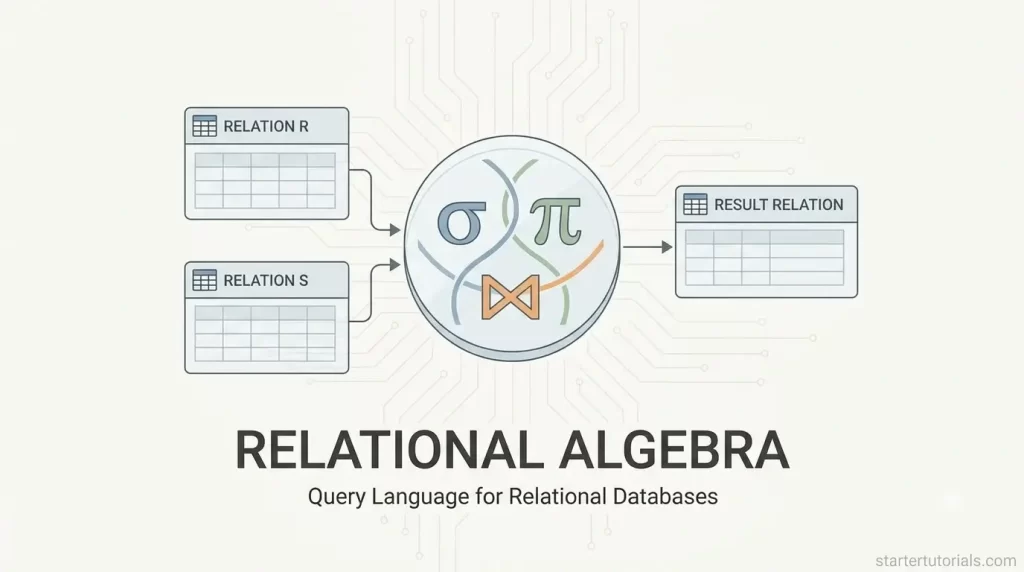
Relational algebra in DBMS is the mathematical foundation behind relational databases, providing the core rules for querying and manipulating structured data. Understanding relational algebra operations gives you a clear mental model of how database management systems process requests under the hood.
What is relational algebra?
Relational algebra in a Database Management System (DBMS) is a foundational, step-by-step mathematical language used to extract and manipulate data stored in relational tables.
Think of it like a set of recipe instructions for your database: instead of writing complex code, you use basic operations like Selection (filtering out specific rows, like finding users over age 18), Projection (choosing specific columns, like keeping only names and email addresses), and Join (combining information from two separate tables based on a shared key).
It serves as the hidden mathematical engine behind SQL queries, allowing the database to understand what data you are looking for and figure out the most efficient way to fetch it.
Importance of relational algebra
The importance of relational algebra lies in its role as the theoretical foundation for relational databases and the SQL language we use today. By providing a clear, mathematical framework for manipulating data, relational algebra allows database systems to take a high-level request (like a SQL query) and automatically break it down into a precise, step-by-step execution plan.
This enables the database’s query optimizer to reorder and tweak operations behind the scenes to fetch data in the fastest, most efficient way possible without altering the final result. Without relational algebra, databases wouldn’t have a standardized, proven way to process, optimize, and reliably deliver complex queries across millions of records in milliseconds.
Relationship between relational algebra and SQL
The relationship between relational algebra and SQL is like the relationship between a blueprint and a finished building: relational algebra provides the mathematical rules for how to process data, while SQL is the user-friendly language used to request that data.
SQL is a declarative language, meaning you simply tell the database what results you want (using commands like SELECT, WHERE, and JOIN), whereas relational algebra is procedural, specifying the exact logical operations needed to compute those results.
When you execute a SQL query, the database management system under the hood translates the SQL code into a relational algebra expression, optimizes that expression to run as fast as possible, and then executes those mathematical operations to deliver your data.
Basic relational algebra operators
The basic (or fundamental) relational algebra operators are the core building blocks used to manipulate relational tables. Relational algebra provides six basic operators. Every operator takes one or two tables as input and produces a new table as output. Let’s discuss about each basic operator in detail.
Selection (σ)
- What it does: Filters rows (tuples) from a table based on a specific condition.
- Analogy: Filtering an Excel sheet to show only specific rows.
- Example: Find all students who belong to Department 101 (Dept_ID=101).
- Relational Algebra: σ(Dept_ID =101) (Student)
- Output: A table containing only the rows of students in department 101 with all their original columns.
Projection (π)
- What it does: Selects specific columns (attributes) from a table and discards the rest. It also automatically removes duplicate rows from the result.
- Analogy: Hiding columns in a spreadsheet to see only the names and phone numbers.
- Example: List only the names of all professors.
- Relational Algebra: πProf_Name (Professor)
- Output: A single-column table displaying only professor names.
Cartesian Product / Cross Product (×)
- What it does: Combines every row of the first table with every row of the second table. If Table A has M rows and Table B has N rows, the result will have M×N rows.
- Analogy: Pairing every shirt in your closet with every pair of pants you own.
- Example: Combine every student with every course available.
- Relational Algebra: Student × Course
- Output: A combined table showing every possible student-to-course pairing.
Set Union (∪)
- What it does: Combines all rows from two tables into one table, removing any duplicates. Both tables must be union-compatible (meaning they have the exact same number of columns with matching data types).
- Analogy: Merging two contact lists into one without repeating contacts.
- Example: Find the IDs of all students enrolled in a course OR working on a project.
- Relational Algebra: πStudent_ID (Enrollment) ∪ πStudent_ID (Project_Assignment)
- Output: A single list of unique Student_IDs present in either list.
Set Difference (-)
- What it does: Finds rows that are present in the first table but not present in the second table. Tables must also be union-compatible.
- Analogy: Taking your main guest list and crossing off everyone who already sent a RSVP declining the invite.
- Example: Find student IDs of students who are taking a course but are not assigned to any project.
- Relational Algebra: πStudent_ID (Enrollment) – πStudent_ID (Project_Assignment)
- Output: A list of Student_IDs present in Enrollment who do not appear in Project_Assignment.
Rename (ρ)
- What it does: Renames a table, its columns, or both. This is useful when you need to join a table with itself or simplify long table names.
- Analogy: Saving a copy of a file with a new name so you don’t confuse it with the original.
- Example: Rename the Student table to S and rename its columns to S_ID, S_Name, and D_ID.
- Relational Algebra: ρS(S_ID, S_Name, D_ID) (Student)
- Output: The exact same data as the Student table, but referenced under the new table name S with modified column titles.
Advanced relational algebra operators
Advanced (or derived) relational algebra operators are formed by combining basic operators (like Selection, Projection, and Cartesian Product) into single operations. They simplify writing queries and optimize how databases combine and summarize data. Let’s discuss about each advanced operator in detail.
Natural Join (⋈)
- What it does: Combines rows from two tables based on matching values in columns that share the same name in both tables. It automatically keeps matching rows and eliminates duplicate columns.
- Analogy: Matching student files with department files using the common Dept_ID tag.
- Example: Find the names of all students along with the name of their respective department.
- Relational Algebra: πStudent_Name, Dept_Name (Student ⋈ Department)
- Output: A list pairing each student’s name with their department’s name, automatically matched on Dept_ID.
Theta Join (⋈θ)
- What it does: Combines rows from two tables based on a specific comparison condition (θ), such as =, <, >, ≤, ≥, or ≠.
- Analogy: Pairing professors with dependents where a specific age threshold or condition is met across the tables.
- Example: Pair professors with their dependents, but only show pairings where the dependent is older than 18.
- Relational Algebra: Professor ⋈(Professor.Prof_ID = Dependent.Prof_ID ∧ Age>18) Dependent
- Output: A combined table of professors and their adult dependents.
Outer Joins (⋈left, ⋈right, ⋈full)
- What it does: Performs a regular join but preserves rows that do not find a match by filling missing data with NULL values.
- Left Outer Join (⋈left): Keeps all rows from the left table, even if there’s no match in the right table.
- Right Outer Join (⋈right): Keeps all rows from the right table, even if there’s no match in the left table.
- Full Outer Join (⋈full): Keeps all rows from both tables regardless of matches.
- Analogy: Making a list of all professors and their assigned courses, but keeping professors on the list even if they aren’t teaching any courses yet.
- Example: List all departments and their phone numbers, ensuring departments without a registered phone number are still displayed.
- Relational Algebra: Department ⋈left Department_Phone
- Output: All departments are listed; those without a phone number show NULL for Phone_Number.
Set Intersection (∩)
- What it does: Finds rows that exist in both input tables simultaneously. Both tables must be union-compatible (same number and types of columns).
- Analogy: Finding students who are on both the honor roll list and the sports team list.
- Example: Find the IDs of students who are taking courses and are also assigned to a project.
- Relational Algebra: πStudent_ID (Enrollment) ∩ πStudent_ID (Project_Assignment)
- Output: A list of Student_IDs that appear in both Enrollment and Project_Assignment.
Division (÷)
- What it does: Finds values in one table that are matched with all values in another table. It acts as the “for all” or “every” operator in relational algebra.
- Analogy: Finding students who have completed every single required course on a graduation checklist.
- Example: Find the IDs of students who are enrolled in all available courses.
- Relational Algebra: Enrollment ÷ πCourse_ID (Course)
- Output: A table of Student_IDs for students who have an entry in Enrollment for every Course_ID present in the Course table.
Aggregation / Grouping (G)
- What it does: Groups rows based on specific columns and calculates summary values like COUNT, SUM, AVG, MIN, or MAX for each group.
- Analogy: Tallying up total sales per store or finding the average grade per class.
- Example: Count how many professors belong to each department.
- Relational Algebra: Dept_ID G COUNT(Prof_ID)(Professor)
- Output: A two-column table listing each Dept_ID alongside the count of professors in that department.
Differences between relational algebra and SQL
The differences between relational algebra and SQL are given in the table below:
| Feature | Relational Algebra | SQL (Structured Query Language) |
|---|---|---|
| Type of Language | Procedural – You specify what data you want and how to get it step-by-step. | Declarative – You specify what data you want, leaving how to get it to the database engine. |
| Nature | Purely theoretical and mathematical framework; used for teaching and optimization. | Practical commercial language used in real-world database management systems. |
| Output / Duplicates | Automatically eliminates duplicate rows from results (strictly based on set theory). | Retains duplicate rows by default unless explicitly filtered using DISTINCT. |
| Primary Operators | Uses mathematical symbols (e.g., σ, π, ⋈, ∪, ×). | Uses English-like keywords (e.g., SELECT, WHERE, JOIN, UNION). |
| Intermediate Steps | Explicitly chains operations together in a fixed sequence. | Combines operations into a single query statement for the engine to optimize. |
| Data Manipulation | Focuses strictly on querying/retrieving data (data manipulation theory). | Handles querying as well as creating, updating, and deleting data (INSERT, UPDATE, CREATE TABLE). |
| Execution Role | Acts as the internal, execution plan generated by the database optimizer. | Acts as the user-facing interface written by programmers and analysts. |

Mr. P.S.Suryateja, also known as Suryateja Pericherla, is at present a Research Scholar (full-time Ph.D.) in the Dept. of Computer Science & Systems Engineering at Andhra University, Visakhapatnam. Previously worked as an Associate Professor in the Dept. of CSE at Vishnu Institute of Technology, India.
He has 14+ years of teaching experience and is an individual researcher whose research interests are Cloud Computing, Internet of Things, Computer Security, Network Security and Blockchain.
He is a member of professional societies like IEEE, ACM, CSI and ISCA. He published several research papers which are indexed by SCIE, WoS, Scopus, Springer and others.
Leave a Reply