
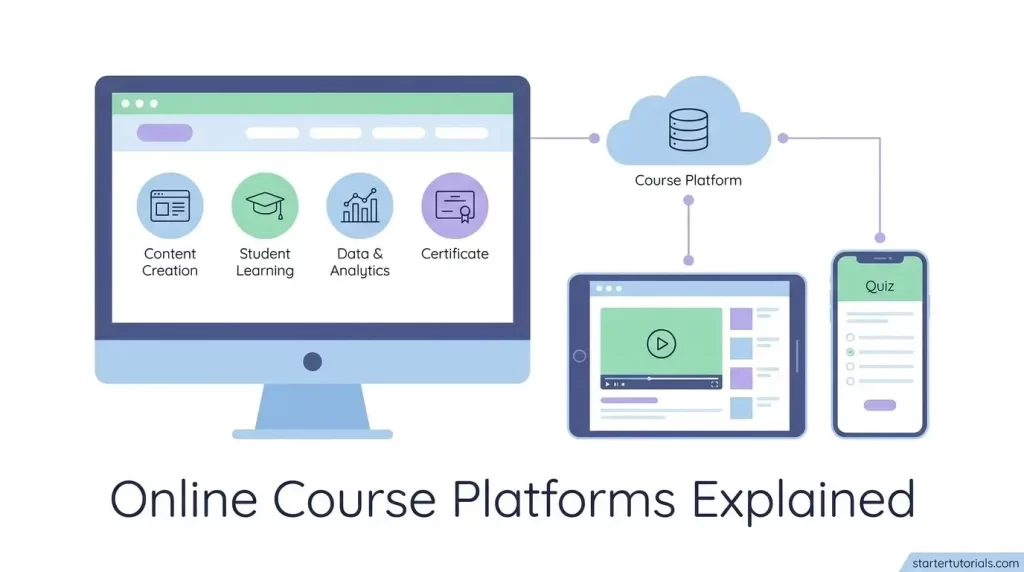
If you sell online courses, coaching programs, or digital products, choosing a platform can get complicated quickly. Feature lists start to look similar, pricing plans aren’t always directly comparable, and nearly every provider claims to have everything you need to run your business.
The better approach is to focus less on which platform has the longest feature list and more on how well it fits the way you actually create, sell, and deliver your content.
This guide explains the main types of online course platforms, the features worth comparing, and what to test before committing to one.
What Is an Online Course Platform?
An online course platform is software designed to help you organize, sell, and deliver digital learning content. Depending on the platform, that might include hosting videos and downloadable resources, organizing lessons and modules, managing student access, tracking progress, and connecting course sales with a payment system.
The differences become more noticeable once you move beyond those core functions.
Some platforms focus primarily on course creation and delivery. Others combine courses with email marketing, landing pages, memberships, checkout tools, affiliate management, and communities.
Before comparing individual platforms, it helps to decide how much of your business you actually want one platform to handle.
The Main Types of Platforms
Most options fall into a few broad categories.
Standalone course platforms primarily focus on creating and delivering educational content. Common features include lesson organization, progress tracking, assessments, drip schedules, and, on some platforms, native video hosting. They can be a practical option if you already have a website, email marketing system, and other business tools in place.
All-in-one platforms combine course delivery with other business tools, such as email marketing, landing pages, checkout, funnels, memberships, and community features. They appeal to creators who would rather manage fewer separate tools. When comparing an all-in-one platform or researching a kajabi alternative, look beyond the feature count and consider how well the platform handles the parts of your workflow you use most often. A broader feature set does not necessarily mean every built-in tool will replace a specialized alternative.
Marketplace platforms such as Udemy work differently. Your courses appear alongside content from other instructors, giving you access to an established marketplace. In exchange, you generally have less control over areas such as promotions and the customer relationship than you would when selling through your own website or course platform.
Marketplaces may also have specific rules governing how instructors communicate with students and use student information, so it is worth reviewing those policies before deciding which model fits your business.
Key Features to Compare
Feature lists are useful, but they don’t always show how well a platform works day to day. These are some of the areas worth testing yourself.
Video hosting and delivery. Many course platforms offer native video hosting, while others support or require external hosting services. If video makes up a large part of your course, check playback quality, mobile performance, bandwidth or storage limits, download controls, and whether the platform supports features such as adaptive streaming.
Payment processing. Some platforms provide their own payment system, while others integrate with processors such as Stripe or PayPal. Look beyond the advertised monthly price and check platform transaction fees, payment-processing fees, payout schedules, supported currencies, and refund management.
A low monthly subscription can become less attractive if additional fees increase as your sales grow.
Course builder flexibility. Think about how you want students to move through your content. Can you release lessons on a schedule? Add quizzes or assignments? Require students to complete one lesson before opening the next?
You may not need all of these options, but they can be important for courses that rely on assessments, scheduled releases, or sequential learning.
Student experience. Test the platform from a student’s perspective before committing. Check how easy it is to log in, find lessons, resume a course, access downloads, and use the platform on a phone or tablet.
A clean interface reduces unnecessary friction and also means fewer basic access questions for you to handle.
Email marketing. Some platforms have built-in email marketing and automation, while others integrate with dedicated providers. If you already use an email marketing service, check whether the integration supports the actions you need, such as tagging buyers, triggering sequences, or removing students from sales campaigns after purchase.
Affiliate management. If affiliates are part of your marketing strategy, check whether the platform can track referrals, calculate commissions, manage affiliate links, and handle payouts or reporting. Some platforms provide these features natively, while others depend on integrations.
Pricing Structures You Will Encounter
Comparing monthly subscription prices alone can give you an incomplete picture of what a platform will actually cost.
Here are some common pricing models.
Subscription with no additional platform transaction fee. You pay a recurring monthly or annual fee, and the platform does not take an additional percentage of each sale. Payment-processing fees from providers such as Stripe or PayPal may still apply.
Revenue share or transaction-based pricing. Some platforms charge a percentage or transaction fee on sales. A lower upfront cost can be useful when you’re starting out, but calculate what those fees would look like at higher sales volumes.
Freemium. Free plans can be useful for testing a platform or launching a small course. Check the restrictions carefully, though. Limits may apply to features, products, students, administrators, integrations, or other parts of the service.
One-time payment. Some platforms offer lifetime or one-time pricing for certain products or plans. This can reduce recurring software costs, but check what the purchase actually includes. Future features, additional services, hosting, or premium functionality may still require separate payments.
The most useful comparison is your total expected cost, not simply the number shown on the pricing page.
What Creators Often Overlook During Evaluation
It is easy to compare platforms by counting features. What matters more is how those features fit together when you’re doing actual work.
A platform can have everything you need on paper and still feel cumbersome if routine tasks require too many steps.
Before signing up, map out one or two common workflows.
For example:
“I recorded a new lesson → I upload it → I add it to the course → I notify students.”
Then test that exact process on your shortlisted platforms.
Do the same with your sales workflow:
“A customer reaches my sales page → checks out → receives confirmation → gets course access → enters the correct email sequence.”
Testing a real workflow often reveals more than comparing feature tables.
It is also worth thinking about growth. A platform that meets your needs with 50 students may have different costs, limits, or administrative requirements when your audience becomes much larger.
Check student limits, storage, bandwidth, administrator accounts, automation limits, and pricing changes before committing.
A Note on Migration
Changing course platforms can involve more than moving videos and PDFs.
Depending on the systems involved, you may also need to transfer student accounts, email addresses, purchase information, subscription details, course progress, quiz results, tags, and other records. Not every platform exports or imports this information in the same format.
Before signing up, find out exactly what you can take with you if you eventually leave.
Useful questions include:
- Can I export my student list and email addresses?
- Can I export order or purchase data?
- Can course progress or completion records be transferred?
- Can recurring subscriptions be migrated?
- Can I download my original course files?
- What happens to my content and student access after cancellation?
You may never need to migrate, but knowing your options upfront can prevent unnecessary work later.
How to Run a Proper Comparison
Instead of comparing ten platforms at once, narrow the field and test the strongest candidates.
- Write down three must-have features and three nice-to-have features.
- Choose two or three platforms that meet the must-haves.
- Use a free trial or demo account where available.
- Build a small test course using real content.
- View the course as a student on both desktop and mobile.
- Test the checkout process where possible.
- Connect any email, analytics, or payment tools you already use.
- Send support a realistic question and evaluate the response.
That last step is particularly useful. Pricing pages tell you what features exist; a support interaction gives you a better idea of what getting help will be like when you actually need it.
Features to Evaluate More Carefully
Some platform features look similar on a comparison chart but can work very differently in practice. Before treating them as deciding factors, consider how important they are to your particular business.
Community features. Built-in community tools can be convenient because students don’t have to move between several platforms. However, available features vary considerably. If community is central to your business, compare discussion tools, events, moderation controls, notifications, mobile access, and integrations rather than simply checking whether a platform offers a community feature.
Website builder. Some course platforms include tools for building landing pages or an entire website. The level of customization differs. A simple creator business may be able to operate entirely within the platform, while a business with more complex SEO, content, or design requirements may prefer a dedicated website platform.
Certificates. Certificates can be useful when students want proof of completion or when a course supports professional development. For other types of courses, they may be less important. Consider whether your audience expects certification and what information the certificate needs to include before making it a deciding factor.
Making the Final Call
There isn’t one course platform that makes sense for every business. Your choice depends on what you’re selling, how you want students to experience the content, which tools you already use, and how much of your business you want to manage from one place.
Once you’ve narrowed the options down, test them with real content rather than relying entirely on demos and comparison pages.
Build a lesson. Create an offer. Test the checkout. Open the course on your phone. Connect the tools you’ll actually use.
Pay attention to the small tasks you’ll repeat every week. Those are often more important than an impressive feature you’ll use twice a year.
Choosing carefully now can also make things easier later if your audience grows, your product changes, or you decide to move to a different platform.

Leave a Reply