
Aim
Write a java program to create a Cookie and the set the expiry time for the same.
Theory
A session is a collection of HTTP requests, over a period of time, between a client and server. Maintaining the data within the session is known as session tracking. For example, maintaining the book details added to the cart in an online book shop application.
Session tracking mechanisms include the following:
- URL rewriting (query strings)
- Hidden form fields
- Cookies
- HTTP session (Session objects)
Cookies
A cookie is a file containing the information sent by the web server to the client. Cookies are stored on client machine. A cookie consists of various attributes such as name, value, message, domain, path, comment and version number. Cookies should only be used to store non-sensitive information.
The servlet API provides a class Cookie available in the jakarta.servlet.http package which provides a way to manage cookies in web applications. To send a cookie to the client, use addCookie(Cookie c) method of the HttpServletResponse object. To gather the cookies on the client side, use getCookies() method of HttpServletRequest object.
To create a cookie, we can use the constructor of the Cookie class as shown below:
Cookie c = new Cookie(name, value);
Program
index.html (client side html code)
<html>
<head>
<meta charset="ISO-8859-1">
<title>Create Cookies</title>
</head>
<body>
	<form action="AddCookies" method="get">
		<input type="submit" value="Create Cookies!" />
	</form>
</body>
</html>
AddCookies.java (Servlet code to add cookies to the browser)
import java.io.IOException;
import jakarta.servlet.ServletException;
import jakarta.servlet.http.Cookie;
import jakarta.servlet.http.HttpServlet;
import jakarta.servlet.http.HttpServletRequest;
import jakarta.servlet.http.HttpServletResponse;

/**
 * Servlet implementation class AddCookies
 */
public class AddCookies extends HttpServlet {
	private static final long serialVersionUID = 1L;

    /**
     * @see HttpServlet#HttpServlet()
     */
    public AddCookies() {
        super();
        // TODO Auto-generated constructor stub
    }

	/**
	 * @see HttpServlet#doGet(HttpServletRequest request, HttpServletResponse response)
	 */
	protected void doGet(HttpServletRequest request, HttpServletResponse response)
throws ServletException, IOException {
		Cookie c1 = new Cookie("user", "Teja");
		c1.setMaxAge(5);
		response.addCookie(c1);
		response.getWriter().print("<html><head><title>Add Cookies</title></head><body>");
		response.getWriter().print("Cookies created successfully!<br/>");
		response.getWriter().print("<a href='CheckCookie'>Check Cookies</a>");
		response.getWriter().print("</body></html>");
	}
}
CheckCookie.java (Servlet code to check cookies)
import java.io.IOException;
import jakarta.servlet.ServletException;
import jakarta.servlet.http.Cookie;
import jakarta.servlet.http.HttpServlet;
import jakarta.servlet.http.HttpServletRequest;
import jakarta.servlet.http.HttpServletResponse;

/**
 * Servlet implementation class ValidServ
 */
public class CheckCookie extends HttpServlet {
	private static final long serialVersionUID = 1L;

    /**
     * @see HttpServlet#HttpServlet()
     */
    public CheckCookie() {
        super();
        // TODO Auto-generated constructor stub
    }

	/**
	 * @see HttpServlet#doPost(HttpServletRequest request, HttpServletResponse 	response)
	 */
	protected void doGet(HttpServletRequest request, HttpServletResponse response)
			throws ServletException, IOException {
		boolean flag = false;
		Cookie c[] = request.getCookies();
		if(c != null)
		{
			for(int i = 0; i < c.length; i++)
			{
				if(c[i].getName().equals("user"))
				{
					flag = true;
				}
			}
			if(flag)
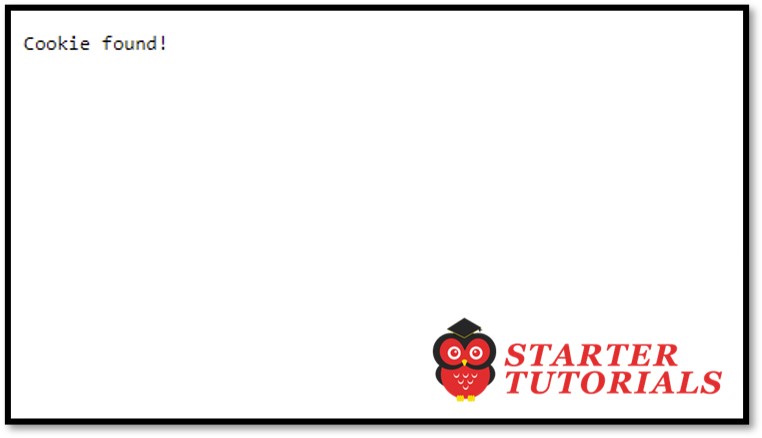
				response.getWriter().print("Cookie found!");
			else
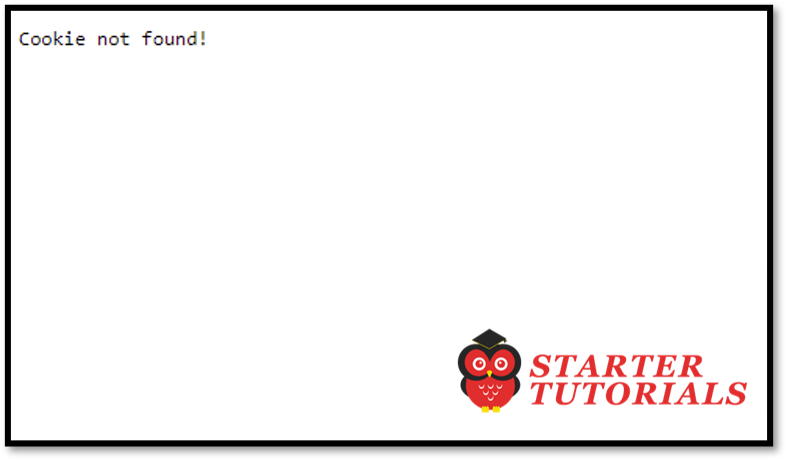
				response.getWriter().print("Cookie not found!");
		}
		else
			response.getWriter().print("Cookie not found!");
	}
}
Input and Output
index.html

AddCookies
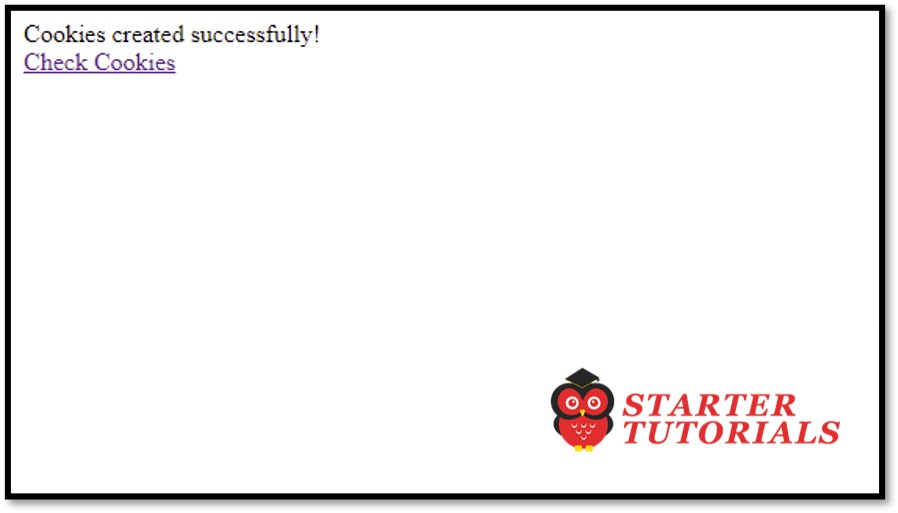
CheckCookies (initial)
CheckCookies (After 5 seconds)
Mr. P.S.Suryateja, also known as Suryateja Pericherla, is at present a Research Scholar (full-time Ph.D.) in the Dept. of Computer Science & Systems Engineering at Andhra University, Visakhapatnam. Previously worked as an Associate Professor in the Dept. of CSE at Vishnu Institute of Technology, India.
He has 14+ years of teaching experience and is an individual researcher whose research interests are Cloud Computing, Internet of Things, Computer Security, Network Security and Blockchain.
He is a member of professional societies like IEEE, ACM, CSI and ISCA. He published several research papers which are indexed by SCIE, WoS, Scopus, Springer and others.
Leave a Reply