
Join our newsletter! - Tips, contests and more. Click here to subscribe!
Once a novel draft is finished, the next job is the hardest one: figuring out what is wrong with it at the level of story, not sentences.
Grammar checkers do not help much here. They catch commas, not a sagging middle or a character who vanishes for ten chapters. That is why a separate category of story editing software has grown up, aimed at developmental problems rather than line edits.
This tutorial explains what those tools do, how they differ, and how to choose one that fits the way you revise.
Line editing versus story editing
It helps to separate two kinds of editing software.
Line editing tools work sentence by sentence. They flag passive voice, repeated words, readability and grammar. Most writers already use one.
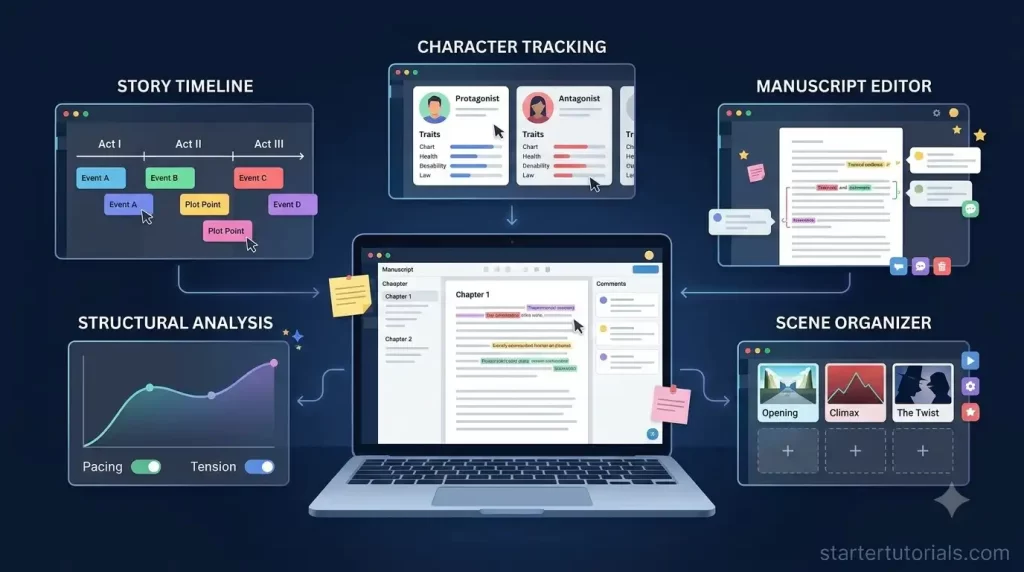
Story editing tools work at the level of scenes and chapters. They track structure, pacing, character arcs, point of view and plot threads across the whole book.
The second kind is newer and less familiar, so it is worth understanding how they approach the problem.
Two approaches: manual tagging and automatic analysis
Story editing tools tend to fall into one of two designs.
Manual tagging tools ask you to enter information about each scene yourself. You record the point of view character, the goal, the conflict, the tension level and so on. The software then turns your inputs into charts and checklists.
The benefit is depth: you think carefully about every scene. The cost is time. Tagging a 90,000 word novel scene by scene can take days.
Automatic analysis tools read the manuscript and produce the reports themselves, usually using AI. You upload a chapter or the full book and receive notes on pacing, characters, structure and possible problems.
The benefit is speed. The cost is that you must check the output critically, because automated readings can miss nuance.
Fictionary and the manual approach
Fictionary is one of the best known story editing tools and a good example of the manual tagging design. It walks writers through a structured scene by scene evaluation and visualises the results.
Many writers love that rigour. Others find the data entry slows them down, especially on a second or third draft when they only want a quick health check.
If you are in the second group, it makes sense to look at tools that do more of the reading for you.
What to compare when choosing a tool
Use these criteria to compare options side by side.
- Input effort. How much do you have to enter manually before you get results?
- Manuscript length. Can it handle a full novel at once, or only chapters?
- Type of feedback. Does it focus on structure, characters, pacing, or all of these?
- Explanations. Does it tell you why something is flagged, or only that it is?
- Export. Can you take notes and reports out of the tool and into your writing software?
- Privacy. Is your manuscript used to train models? The answer should be clearly stated.
- Pricing model. Monthly subscription, per manuscript, or one time purchase.
A quick testing method
Most tools offer a trial or a free tier. Use the same test chapter in each to compare fairly.
- Choose a chapter you already know has a problem, such as slow pacing or an unclear goal.
- Run it through each tool.
- Note whether the tool found the problem you know about.
- Note anything new it found that turns out to be useful.
- Record how long the whole process took.
This shows you quickly which tools see what you see and which add something new.
If you want a starting shortlist, this comparison of each Fictionary alternative covers both manual and automatic options, with notes on who each suits. It is a useful map before you start signing up for trials.
Combining tools sensibly
You do not have to pick only one. A common workflow uses different tools at different stages.
- An automatic analysis pass on the full draft to find the biggest structural issues.
- A manual, scene by scene review on the chapters that need the most work.
- A line editing tool at the end for sentence level polish.
The order matters. Polishing sentences in a scene you later delete is time wasted.
Limits to keep in mind
No software understands your intentions. A tool may flag a slow chapter that is slow on purpose, or a missing character who is absent for a reason.
Treat every report as a list of questions to consider rather than instructions to follow. The final decisions remain editorial ones, and they belong to the writer.
Summary
Story editing software fills the gap between grammar tools and a human developmental editor. Manual tagging tools offer depth at the cost of time. Automatic tools offer speed at the cost of some nuance.
Test a few on the same chapter, compare what they catch, and build a workflow that moves from big problems to small ones. That is the quickest route from a finished draft to a stronger one.

Mr. P.S.Suryateja, also known as Suryateja Pericherla, is at present a Research Scholar (full-time Ph.D.) in the Dept. of Computer Science & Systems Engineering at Andhra University, Visakhapatnam. Previously worked as an Associate Professor in the Dept. of CSE at Vishnu Institute of Technology, India.
He has 14+ years of teaching experience and is an individual researcher whose research interests are Cloud Computing, Internet of Things, Computer Security, Network Security and Blockchain.
He is a member of professional societies like IEEE, ACM, CSI and ISCA. He published several research papers which are indexed by SCIE, WoS, Scopus, Springer and others.
Leave a Reply