
Aim
Write a program to demonstrate struts validation.
Theory
Struts Validation
We can define our own validation logic (custom validation) in struts 2 by implementing the Validateable interface in the action class. The workflow interceptor is used to get information about the error messages defined in the action class.
The workflow interceptor checks if there are any validation errors or not. It doesn’t perform any validation. It is applied when action class implements the Validateable interface. The input is the default parameter for this interceptor that determines the result to be invoked for the action or field error.
Validateable interface
The Validateable interface must be implemented to perform validation logic in the action class. It contains only one method validate( ) that must be overridden in the action class to define the validation logic. Signature of the validate method is:
public void validate();
ActionSupport class implements Validateable and ValidationAware interfaces, so we can inherit the ActionSupport class to define the validation logic and error messages.
Steps to perform custom validation
- Create the form to get input from the user
- Define the validation logic in action class by extending the ActionSupport class and overriding the validate method
- Define result for the error message by the name input in struts.xml file
Program
struts.xml
<?xml version="1.0" encoding="UTF-8"?>
<!DOCTYPE struts PUBLIC
    "-//Apache Software Foundation//DTD Struts Configuration 2.5//EN"
    "http://struts.apache.org/dtds/struts-2.5.dtd">

<struts>
	<package name="default" extends="struts-default">
		<action name="studentinfo" class="Student">
			<result name="input">/index.jsp</result>
			<result name="success">/success.jsp</result>
		</action>
	</package>
</struts>
web.xml
<?xml version="1.0" encoding="UTF-8"?>
<web-app xmlns:xsi="http://www.w3.org/2001/XMLSchema-instance" xmlns="https://jakarta.ee/xml/ns/jakartaee" xmlns:web="http://xmlns.jcp.org/xml/ns/javaee" xsi:schemaLocation="https://jakarta.ee/xml/ns/jakartaee https://jakarta.ee/xml/ns/jakartaee/web-app_5_0.xsd" id="WebApp_ID" version="5.0">
  <display-name>StrutsDemo</display-name>
  <welcome-file-list>
    <welcome-file>index.html</welcome-file>
    <welcome-file>index.jsp</welcome-file>
    <welcome-file>index.htm</welcome-file>
    <welcome-file>default.html</welcome-file>
    <welcome-file>default.jsp</welcome-file>
    <welcome-file>default.htm</welcome-file>
  </welcome-file-list>

  <filter>
  	<filter-name>struts2</filter-name>
  	<filter-class>org.apache.struts2.dispatcher.filter.StrutsPrepareAndExecuteFilter</filter-class>
  </filter>

  <filter-mapping>
  	<filter-name>struts2</filter-name>
  	<url-pattern>/*</url-pattern>
  </filter-mapping>
</web-app>
index.jsp
import com.opensymphony.xwork2.ActionSupport;

public class Student extends ActionSupport{

	private String rollno;
	private String name;

	public String execute() {
		return "success";
	}

	public String getRollno() {
		return rollno;
	}

	public String getName() {
		return name;
	}

	public void setRollno(String rollno) {
		this.rollno = rollno;
	}

	public void setName(String name) {
		this.name = name;
	}

	public void validate() {
		if(rollno == null || rollno.trim().equals("")) {
			addFieldError("rollno","Regd. No. is required");
		}
	}
}
success.jsp
<html>
	<head>
	<title>Success</title>
	</head>
	<body>
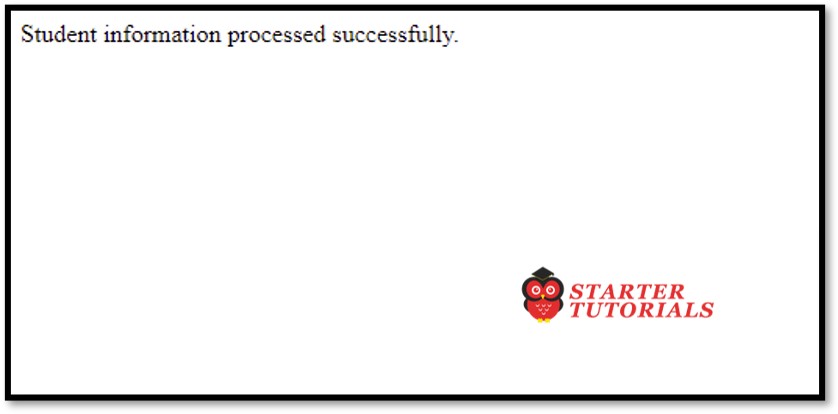
		<p>Student information processed successfully.</p>
	</body>
</html>
Student.java
import com.opensymphony.xwork2.ActionSupport;

public class Student extends ActionSupport{

	private String rollno;
	private String name;

	public String execute() {
		return "success";
	}

	public String getRollno() {
		return rollno;
	}

	public String getName() {
		return name;
	}

	public void setRollno(String rollno) {
		this.rollno = rollno;
	}

	public void setName(String name) {
		this.name = name;
	}

	public void validate() {
		if(rollno == null || rollno.trim().equals("")) {
			addFieldError("rollno","Regd. No. is required");
		}
	}
}
Input and Output
index.jsp
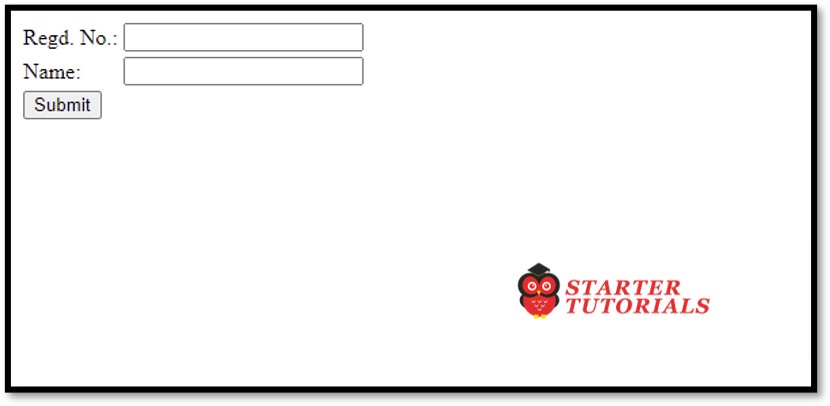
With validation error
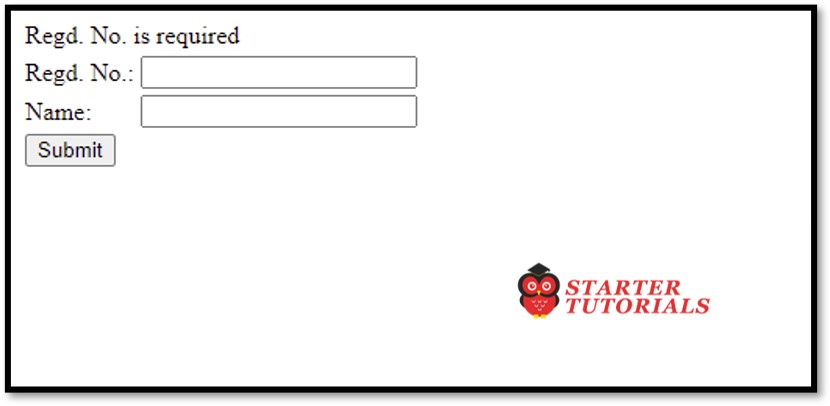
Without validation error

Mr. P.S.Suryateja, also known as Suryateja Pericherla, is at present a Research Scholar (full-time Ph.D.) in the Dept. of Computer Science & Systems Engineering at Andhra University, Visakhapatnam. Previously worked as an Associate Professor in the Dept. of CSE at Vishnu Institute of Technology, India.
He has 14+ years of teaching experience and is an individual researcher whose research interests are Cloud Computing, Internet of Things, Computer Security, Network Security and Blockchain.
He is a member of professional societies like IEEE, ACM, CSI and ISCA. He published several research papers which are indexed by SCIE, WoS, Scopus, Springer and others.
Leave a Reply