
Aim
Create a JSP page to demonstrate JavaBean and implement usebean tag.
Theory
JavaBeans
A Java Bean is a platform-independent component that allows us to reuse the class object in our Java code. Using JavaBeans in the Java program allows us to encapsulate many objects into a single object called a bean. There are various advantages of a JavaBean that are as follows:
- Exposure to other applications
- Registration to receive events
- Ease of configuration
- Portable
- Lightweight
jsp:useBean action Tag
The jsp:useBean action tag is used to locate or instantiate a bean class. If bean object of the Bean class is already created, it doesn’t create the bean depending on the scope. But if object of bean is not created, it instantiates the bean.
Syntax of jsp:useBean action tag is:
<jsp:useBean id= "instanceName" scope= "page | request | session | application"
class= "packageName.className" type= "packageName.className"
beanName="packageName.className | <%= expression >" >
</jsp:useBean>
Program
While creating the bean class in Eclipse remember the following points:
- Create a new package and add the bean class in that package
- Create a public default (no argument) constructor in the bean class
Student.java
package beans;

public class Student {

	private String name;
	private int age;
	private char grade;

	public Student() {}

	public void setName(String n) {
		name = n;
	}

	public void setAge(int a) {
		age = a;
	}

	public void setGrade(char g) {
		grade = g;
	}

	public String getName() {
		return name;
	}

	public int getAge() {
		return age;
	}

	public char getGrade() {
		return grade;
	}
}
index.jsp
<html>
<head>
<title>JSP UseBean Tag</title>
</head>
<body>
	<jsp:useBean id="student" class="beans.Student"></jsp:useBean>
	<%
		student.setName("Raj");
		student.setAge(20);
		student.setGrade('A');
		out.print("Student name is: " + student.getName() + "<br/>");
		out.print("Student age is: " + student.getAge() + "<br/>");
		out.print("Student grade is: " + student.getGrade());
	%>
</body>
</html>
Input and Output
index.jsp
Student name is: Raj
Student age is: 20
Student grade is: A
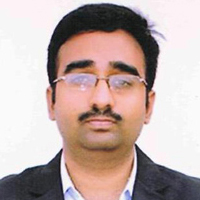
Mr. P.S.Suryateja, also known as Suryateja Pericherla, is at present a Research Scholar (full-time Ph.D.) in the Dept. of Computer Science & Systems Engineering at Andhra University, Visakhapatnam. Previously worked as an Associate Professor in the Dept. of CSE at Vishnu Institute of Technology, India.
He has 14+ years of teaching experience and is an individual researcher whose research interests are Cloud Computing, Internet of Things, Computer Security, Network Security and Blockchain.
He is a member of professional societies like IEEE, ACM, CSI and ISCA. He published several research papers which are indexed by SCIE, WoS, Scopus, Springer and others.
Leave a Reply